Product architecture
Ormuz exposes several public surfaces reaching the same functional core: shared business objects and processes orchestrating your systems, providers, and human interactions.
Overview
An Ormuz architecture does not necessarily start with the API. A system may communicate directly with the platform, go through a business connector, use a specialized extension, or simply open a User Journey when human action is required.
| Surface | Used by | Role |
|---|---|---|
| Public API | Custom applications and integrations | Create, read, and operate Ormuz objects and processes directly from your system. |
| Business connectors & extensions | ERP, e-commerce, accounting, and third-party services | Connect systems or providers to Ormuz behind a packaged, maintained integration. |
| Console | Technical teams and operators | Configure integrations, design processes, and operate the platform. |
| User Journeys | Buyers, contacts, and approvers | Present human actions requested by a process in a secure interface. |
The public API and connectors/extensions reach the same Ormuz core. The Console configures objects and orchestration artifacts; User Journeys carry end-user interactions.
Behind all these surfaces, Ormuz normalizes exchanges into two stable layers: the business objects, which describe business state, and orchestration. The latter includes Processes, Decisions, and Agents, which respectively carry journeys, deterministic policies, and bounded AI activities.
This page describes the surfaces and responsibilities visible to a customer or integrator. Detailed HTTP contracts belong in API & events, and integration modes are detailed in Integrations.
Public API
The public API is the direct entry point for custom applications and integrations. It lets you manipulate business objects, start or track processes, and receive events required to synchronize your system.
It is not mandatory when a business connector or another extension already covers your need. In that case, the extension encapsulates the integration and exposes contracts compatible with the rest of the platform.
See API & events for authentication, resources, events, and webhooks.
Business connectors & extensions
Extensions connect Ormuz to external systems and services. A business connector is an extension specialized in connecting a business system such as an ERP, e-commerce platform, or accounting tool.
Other extensions add external capabilities — payment, credit, financing, KYC, fraud, data, documents, signing, or communications — that processes can use as composable steps.
Direct API and extensions are therefore complementary approaches, not two mandatory successive layers. See Integrations for available extensions and Integration modes to choose the right mode.
Console
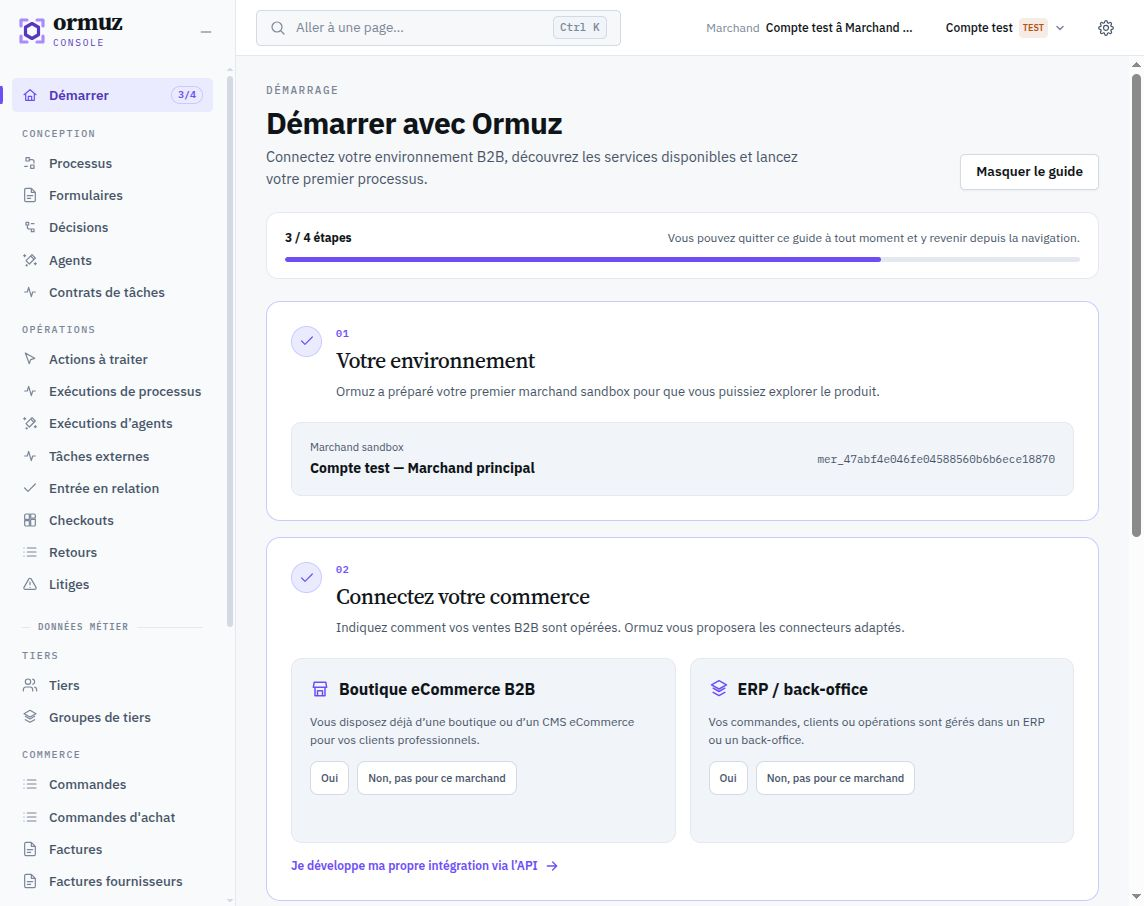
The Console is the platform administration interface. It is used to configure, design, and operate Ormuz; it is not an additional integration channel.
| Area | Capabilities |
|---|---|
| Integrations | Install and configure business connectors and service extensions. |
| Orchestration | Design, publish, and evolve the merchant's Processes, Decisions, and Agents. |
| Operations | Track instances, inspect business objects, and diagnose errors. |
| Administration | Manage access, API keys, and account/merchant settings. |
User Journeys
User Journeys are the surface used when a process needs a person to act: buyer, contact, approver, or another participant.
They can present input, validation, consent, payment, or another user action, then return the result to the process. This lets you embed an Ormuz interaction into an existing journey without rebuilding the interface in the host system.
See User Journeys for the detailed interaction model.